Mains foragents.
Run coding agents. Review diffs. Manage runs.
Coming soon to iPhone: drive your runs from the couch.
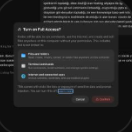
When enabling "Full Access" permission mode for a project in codex, display a confirmation modal similar to the attached screenshot.
Requirements:
- Show the modal every time the user attempts to enable Full Access, even if previously confirmed.
- Use existing app components and design patterns.
- Only enable Full Access after the user confirms.
- Canceling should leave the current permission mode unchanged.
- Keep the implementation simple and consistent with the existing codebase.
I'll trace where project permission mode changes in the desktop app, then add the confirmation using its existing dialog components. I'll check the relevant flows and tests after the change.
I'm using the frontend design skill for the modal's layout and interaction details. I found unrelated edits already in the workspace and will keep this change separate from them.
I found two ways to select Codex Full Access: the project composer's permission menu and the Codex settings sandbox selector. I'll route both through one confirmation modal so the mode changes only after confirmation.
The confirmation is wired into both selectors. Selecting Full Access now opens the modal while the current value stays in place; confirming applies the selection, and canceling dismisses it. I've added a composer test for cancel, confirm, and selecting Full Access again.
Both focused interaction tests pass. They cover the composer and settings paths, including cancel leaving the mode unchanged. Type checking and lint are still running.
Type checking passed. Lint found one repository import convention: shared UI must come through its index. I've fixed that import and am rerunning the focused checks.
The focused tests and lint now pass. I'm finishing the renderer type check and reviewing the changed files; the unrelated workspace edits remain untouched.
Added a Codex Full Access confirmation modal to the project composer and Codex settings. It appears on every Full Access selection, including after a previous confirmation. Full Access is applied only when the user confirms; Cancel leaves the current mode unchanged.
The modal uses the app's existing Modal and Button components. Type checking, lint, and the focused tests passed (13 tests).

Built for agent workflows.
Preview, review, and work beside your agents without leaving Mains.
 Mains — Open-Source Agent Workspace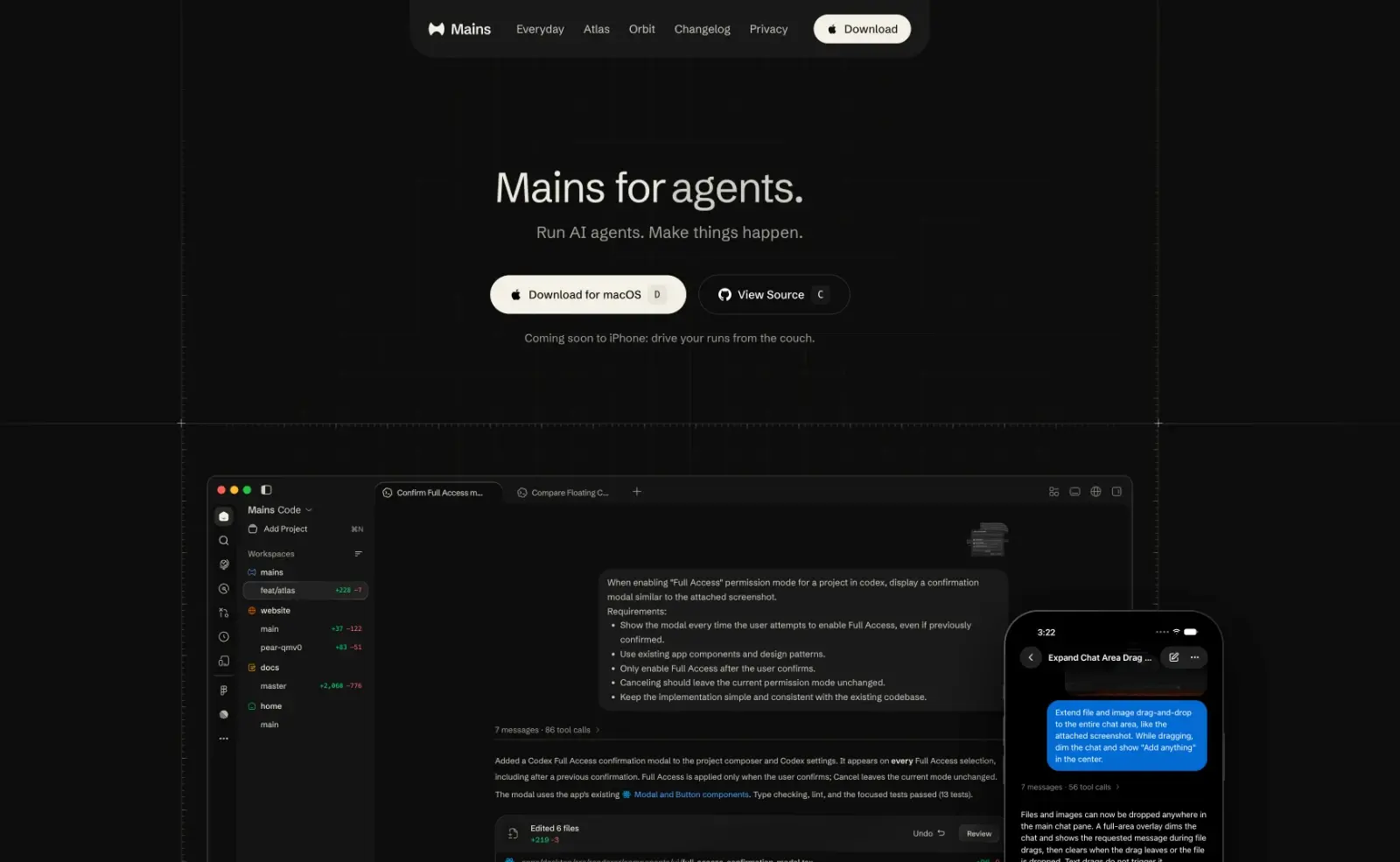
Ready out of the box.
Everything a run needs is built in, and it keeps getting better, with a new release almost every week.
All four runs are going in their own workspaces. Atlas stays checked out here, so keep working; each one shows up in the dock until it finishes.
Parallel runs
Run agents in several workspaces at once. Background runs wait in a dock, so you can check in or stop one without leaving your work.
Added a Codex Full Access confirmation modal to the project composer and Codex settings. Full Access is applied only when the user confirms; Cancel leaves the current mode unchanged.
Plugins and skills, by name
Type @ to bring in files, plugins, and skills. Pick Code Review and the agent reviews your change with it.
Fast text search
Search file contents right in the file explorer, powered by @vscode/ripgrep. Find matching lines across your workspace with text or regex.
docs.mains.dev/file-explorerTurn steer
Send new instructions into a running turn without waiting for it to finish. Correct course as it works. Codex only for now. Claude coming soon.
docs.mains.dev/runsRemote control
Control Mains from your phone, a browser, or another computer. Follow runs and send instructions while agents keep working on your machine.
docs.mains.dev/relay/overviewWorkspace themes.
Choose from 32 color themes with light, dark, or system appearance. Apply a shared theme or configure each agent separately.
When enabling "Full Access" permission mode for a project in codex, display a confirmation modal similar to the attached screenshot.
Requirements:
- Show the modal every time the user attempts to enable Full Access, even if previously confirmed.
- Use existing app components and design patterns.
- Only enable Full Access after the user confirms.
- Canceling should leave the current permission mode unchanged.
- Keep the implementation simple and consistent with the existing codebase.
I'll trace where project permission mode changes in the desktop app, then add the confirmation using its existing dialog components. I'll check the relevant flows and tests after the change.
I'm using the frontend design skill for the modal's layout and interaction details. I found unrelated edits already in the workspace and will keep this change separate from them.
I found two ways to select Codex Full Access: the project composer's permission menu and the Codex settings sandbox selector. I'll route both through one confirmation modal so the mode changes only after confirmation.
The confirmation is wired into both selectors. Selecting Full Access now opens the modal while the current value stays in place; confirming applies the selection, and canceling dismisses it. I've added a composer test for cancel, confirm, and selecting Full Access again.
Both focused interaction tests pass. They cover the composer and settings paths, including cancel leaving the mode unchanged. Type checking and lint are still running.
Type checking passed. Lint found one repository import convention: shared UI must come through its index. I've fixed that import and am rerunning the focused checks.
The focused tests and lint now pass. I'm finishing the renderer type check and reviewing the changed files; the unrelated workspace edits remain untouched.
Added a Codex Full Access confirmation modal to the project composer and Codex settings. It appears on every Full Access selection, including after a previous confirmation. Full Access is applied only when the user confirms; Cancel leaves the current mode unchanged.
The modal uses the app's existing Modal and Button components. Type checking, lint, and the focused tests passed (13 tests).
A look that feels like you.
Local first
Your desktop is home base.
Your workspaces and run history stay on your computer by default. Agents work in the repositories you choose, and you can inspect their changes before committing.
Getting started doesn't require a Mains account or hosted workspace. Mains connects to the AI provider and tools you choose for each task.
Mains for what's next.
Build, debug, and review code with AI agents in your local repositories.